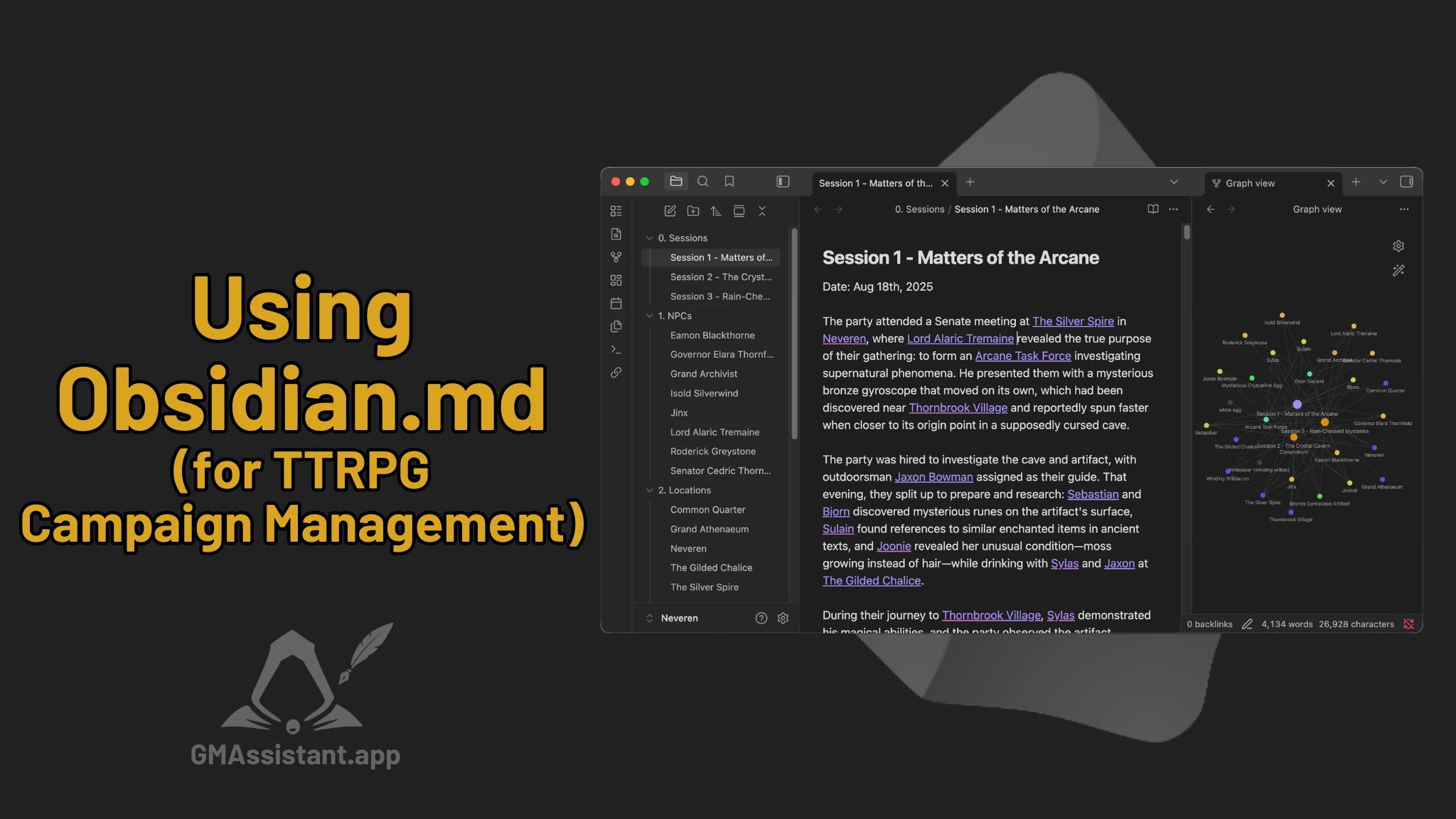
In this post, we'll talk about why Obsidian.md is such a popular note-taking tool among TTRPG Game Masters. Obsidian isn't a TTRPG-specific application, but several of its core features align extremely well with how tabletop campaigns function over time.
What campaign management/notes tools do you use?
Back in October, we polled our community about what note-taking tools they use, and Obsidian came out on top with 19% of the vote; beating out dedicated TTRPG tools, other note-taking apps, and even the classic pen and paper approach.
Since it is so widely adopted by Dungeon Masters and GMs, there exists a plethora of plugins and resources for Obsidian to help with D&D/TTRPG campaign tracking and prep, which we will talk about in part 2!
Robust Note-Taking Software
At its core, Obsidian is simply very good note-taking software. That matters more than any single feature when you're using it regularly for campaign management.
Key qualities Dungeon Masters/Game Masters tend to value:
- Fast, flexible writing – Notes are quick to create and edit, with simple Markdown formatting for headings, lists, emphasis, and structure.
- Lightweight formatting – You can add structure without breaking flow, which is important during prep and quick edits between scenes.
- Powerful search – All notes are plain text indexed, making it easy to find NPCs, locations, or past events across the entire campaign.
- Easy refactoring – Notes can be reorganized, split, or expanded later as ideas solidify or recur.
- Low friction – There's very little overhead between deciding to write something down and actually writing it. This is so important so that you actually do it!
These make Obsidian reliable for real campaign use, not just theoretical organization.
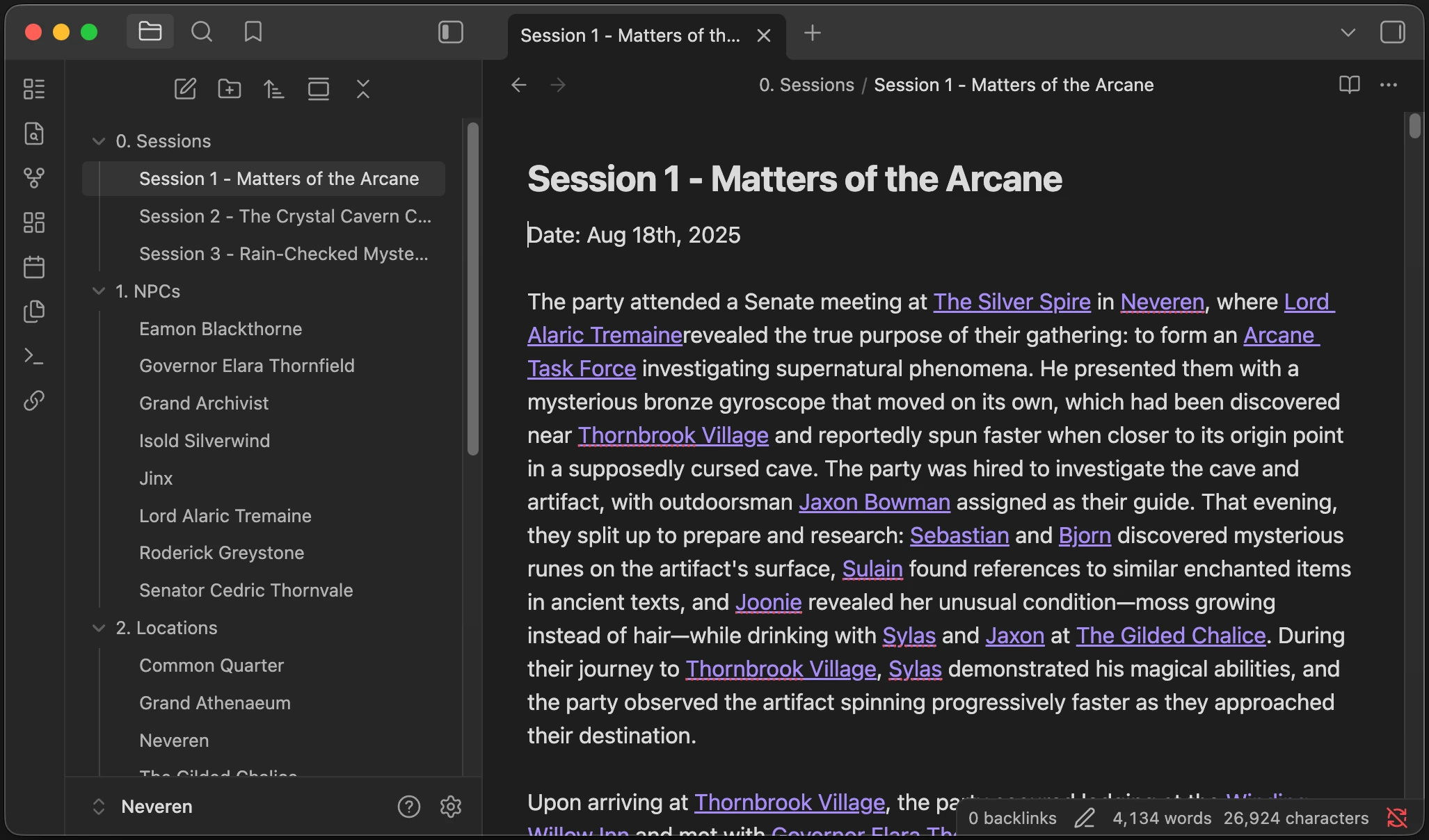
Key Features GMs Like About Obsidian
Plain Markdown Files Stored Locally
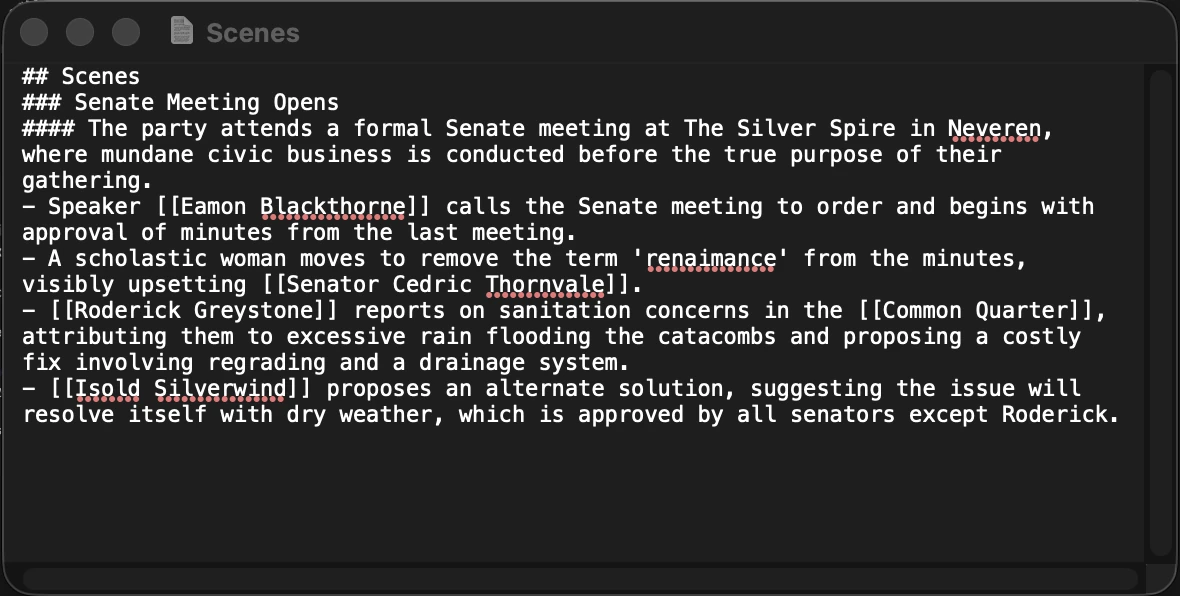
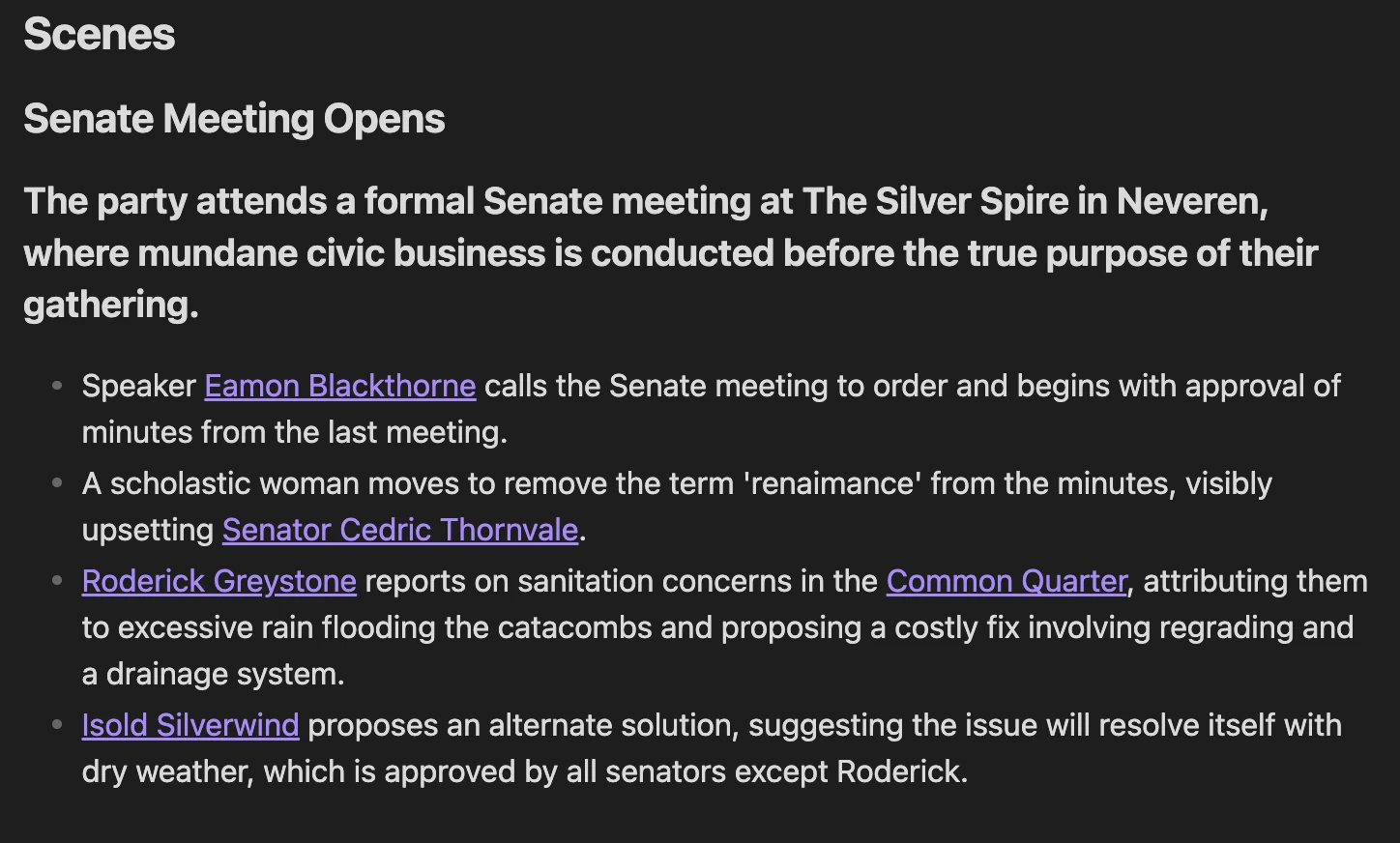
Every note in Obsidian is just a plain Markdown file stored on your local machine. Markdown is just plain text so you can read it in any application. Here's an example:
Opened in TextEdit
Rendered in Obsidian
For GMs, this has several practical advantages:
- Notes are useful outside of Obsidian, allowing you to use the notes in any other application
- Campaigns are easy to back up, version, or sync
- Getting notes in and out of Obsidian is easy
For long-running D&D campaigns, this creates confidence. Dungeon Masters invest months or years into a world, and Markdown ensures that investment remains accessible regardless of tools.
Offline Access at the Table
Obsidian works entirely offline.
That's nifty if you are in an unreliable internet environment like a convention or a D&D retreat out in the mountains. It's also an extra layer of comfort around data privacy.
Flexible Sharing Options
Although Obsidian is primarily a personal knowledge base, it supports several ways to share campaign information:
- Obsidian Publish for player-facing campaign wikis or session recaps
- Shared folders via cloud sync (e.g. Dropbox, iCloud, Git)
- Exported Markdown or PDFs for handouts
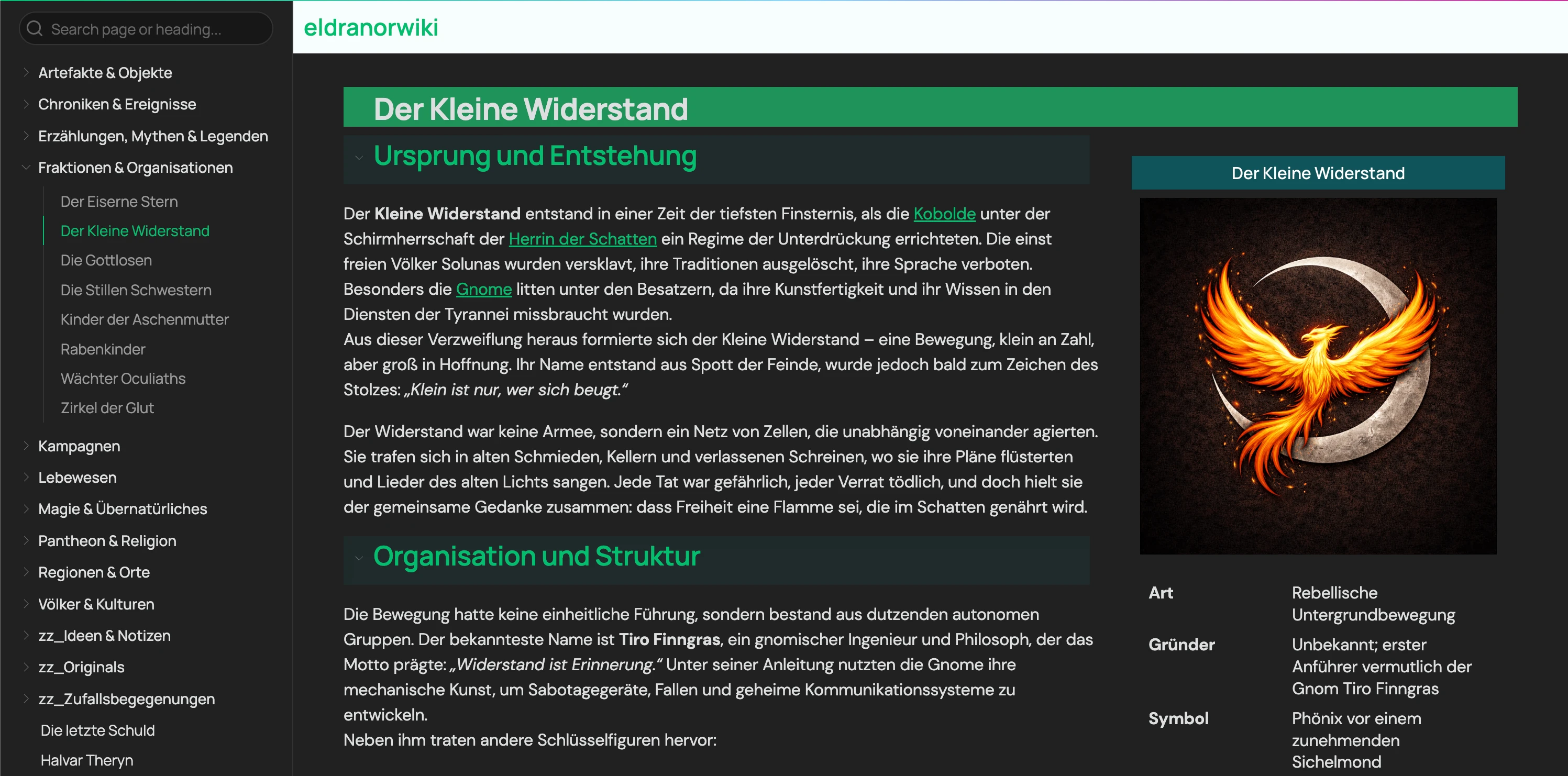
Many Game Masters maintain a private "vault" (Obsidian's word for a collection of notes) for prep and secrets, alongside a curated player-facing vault or published site. This separation allows Obsidian to function as both a GM's brain and a group reference without exposing hidden information.
Example of a GMA user's German campaign session published with Obsidian Publish
Managing Campaigns in Obsidian
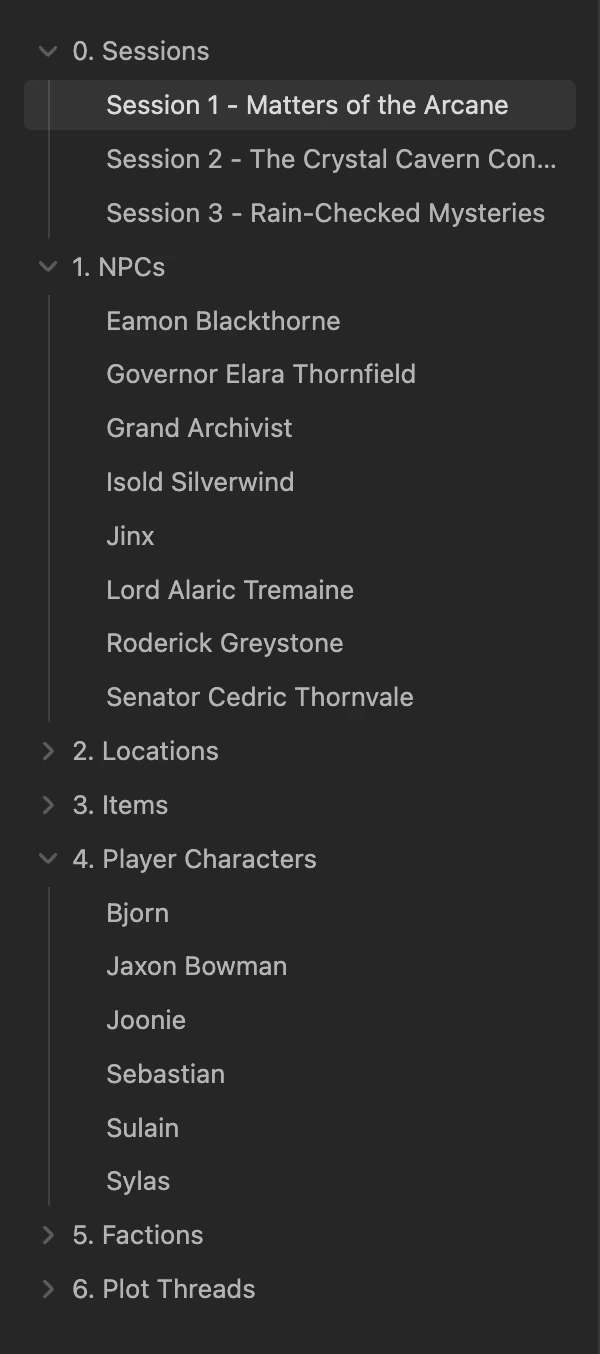
Example hybrid folder structure
Session-Centered Campaigns
In session-centered setups:
- Each session gets its own note
- NPCs and locations are created only as they appear
- Worldbuilding grows reactively
Sessions act as the timeline backbone of the campaign. This approach pairs well with improvisational or low-prep GMing styles.
Wiki-Style Worldbuilding
Some GMs treat Obsidian as a personal campaign wiki:
- Dedicated notes for NPCs, locations, factions, and lore
- Heavy use of links and indexes
- Hub notes for navigation
This style excels at continuity and deep worlds, but requires more upkeep between sessions.
Hybrid Approaches
Most campaigns end up hybrid over time.
Sessions remain the primary timeline, while recurring NPCs, locations, and factions gradually accumulate detail. Obsidian supports this incremental growth particularly well.
This is the style discussed on https://obsidianttrpgtutorials.com/Obsidian+TTRPG+Tutorials/Getting+Started/Vault+Structure
Common Pitfalls When Starting with Obsidian
Over-Engineering the Vault Before the First Session
Designing a perfect vault structure upfront is a common mistake. Campaigns change, and rigid systems often break under real play. Simple structures that evolve organically tend to last longer.
Importing Large Rulesets Too Early
Importing entire SRDs or rulebooks can clutter a vault quickly. Static rules content provide less value than notes about what actually happened at the table.
Writing Long, Unlinked Session Summaries
Blocks of text are difficult to reuse or scan for quick information. Session notes become far more valuable when they link to NPCs, locations, and unresolved hooks.
Renaming Files Outside Obsidian
If a note is renamed outside of Obsidian (for example, in Finder or File Explorer), Obsidian cannot update existing links automatically. This can leave links pointing to the old filename. Moving things around within Obsidian will keep all the links intact.
Installing Too Many Plugins Before Establishing a Workflow
Plugins amplify existing habits. Without a clear capture and organization process, they often add complexity instead of clarity. Bloating the tool is going to make things feel more overwhelming and complicated, which will feel like punishment when you are just trying to manage notes.
Links or Folders
Folder structures vary widely between Obsidian vaults. Linking habits do not.
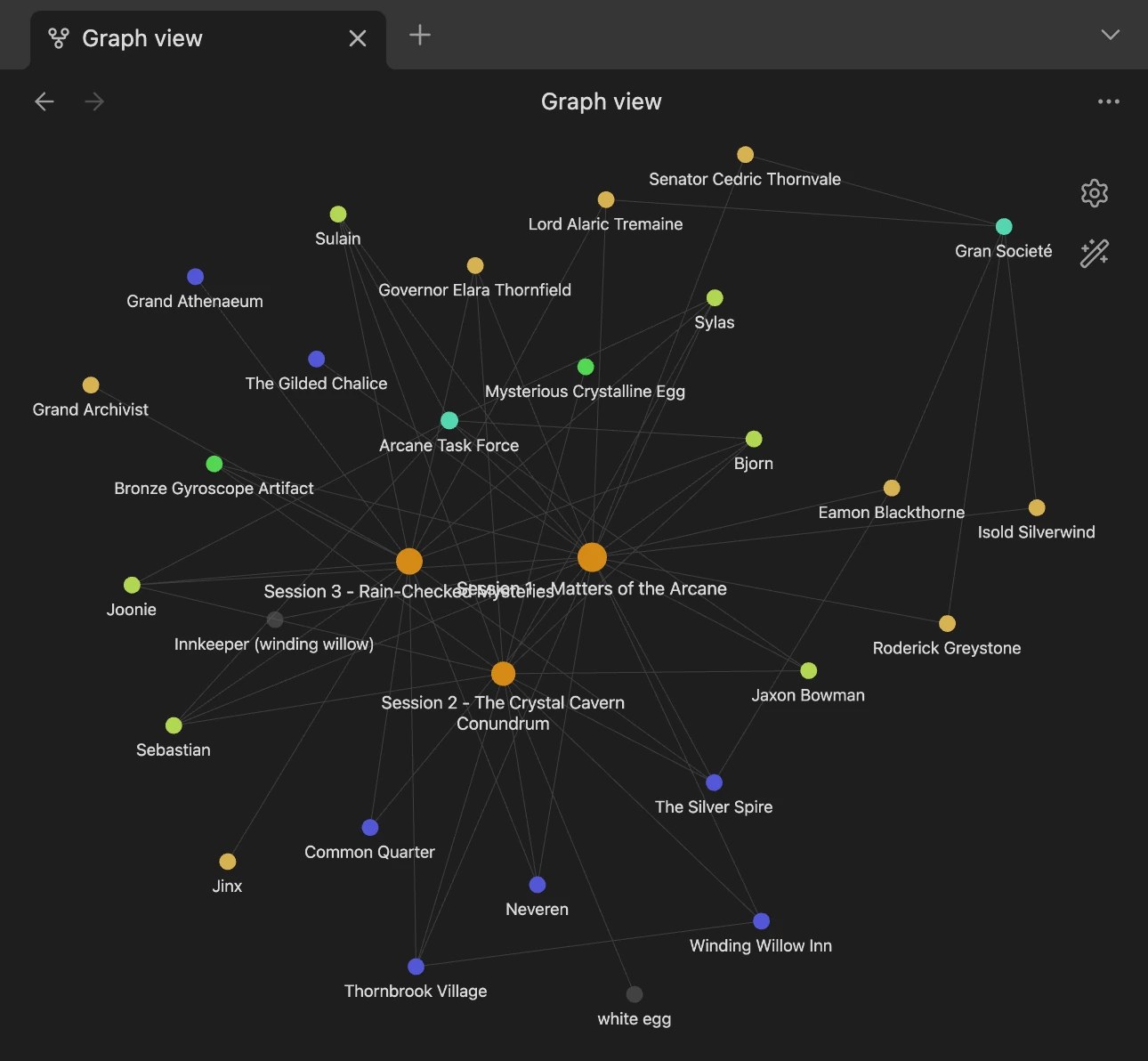
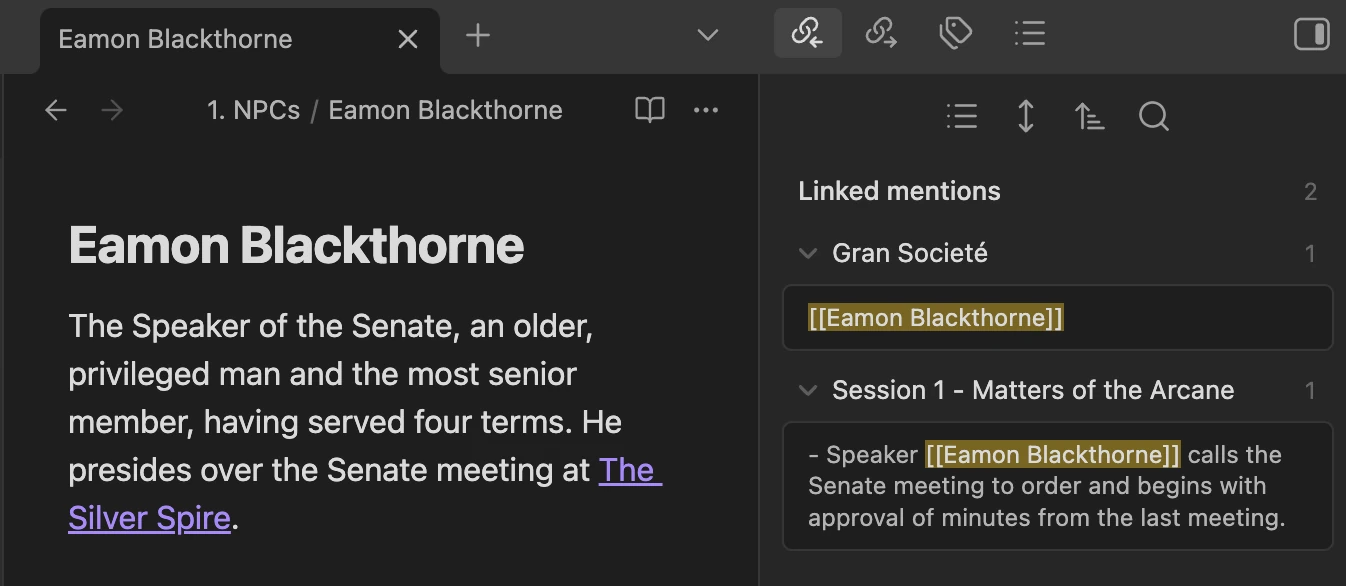
Folders help with visual organization, but links preserve meaning and relationships. Consistent linking allows backlinks to surface connections naturally over time.
A useful rule of thumb:
If something might matter again, give it a note and link to it.
Graph view gives you an interactive view of the relationship between notes
You can see everywhere a note is referenced with backlinks
GM Assistant → Obsidian
Obsidian is best understood as a campaign archive and knowledge system. It organizes, connects, and resurfaces information after a session is over.
GM Assistant is built to handle the opposite problem: supporting high-quality note capture during play for Dungeons & Dragons and other TTRPGs.
Rather than replacing world-building or campaign management tools, GM Assistant is designed to feed them. Session notes, NPCs, and locations captured during D&D sessions can be exported into Obsidian, where they become part of a durable, navigable campaign record.
In part 2 we will talk about more resources to use with Obsidian.md, but if you can't wait or already use Obsidian, check out https://obsidianttrpgtutorials.com/